
LinkyFlow for Shopify
Connecting Shopify to LinkyFlow gives you one connection and three ways to use it.
Automate An autonomous agent can watch and reconcile your Shopify business data on its own. The Shopify + Stripe Reconciliation agent checks every Shopify transaction paid through Stripe against the actual Stripe payment, retrieves the real fee and net amount, and flags what does not reconcile — once per hour, with nobody watching.
Ask LinkyFlow speaks MCP, so ChatGPT and other AI assistants can read your store through the same connection, with your explicit authorization and without ever seeing a credential.
Work in Excel Everything below: query, analyse and manage your Shopify data from the spreadsheet your team already uses. Keep product data consistent, validate inputs, and publish updates in bulk.
Key capabilities
Mass update products 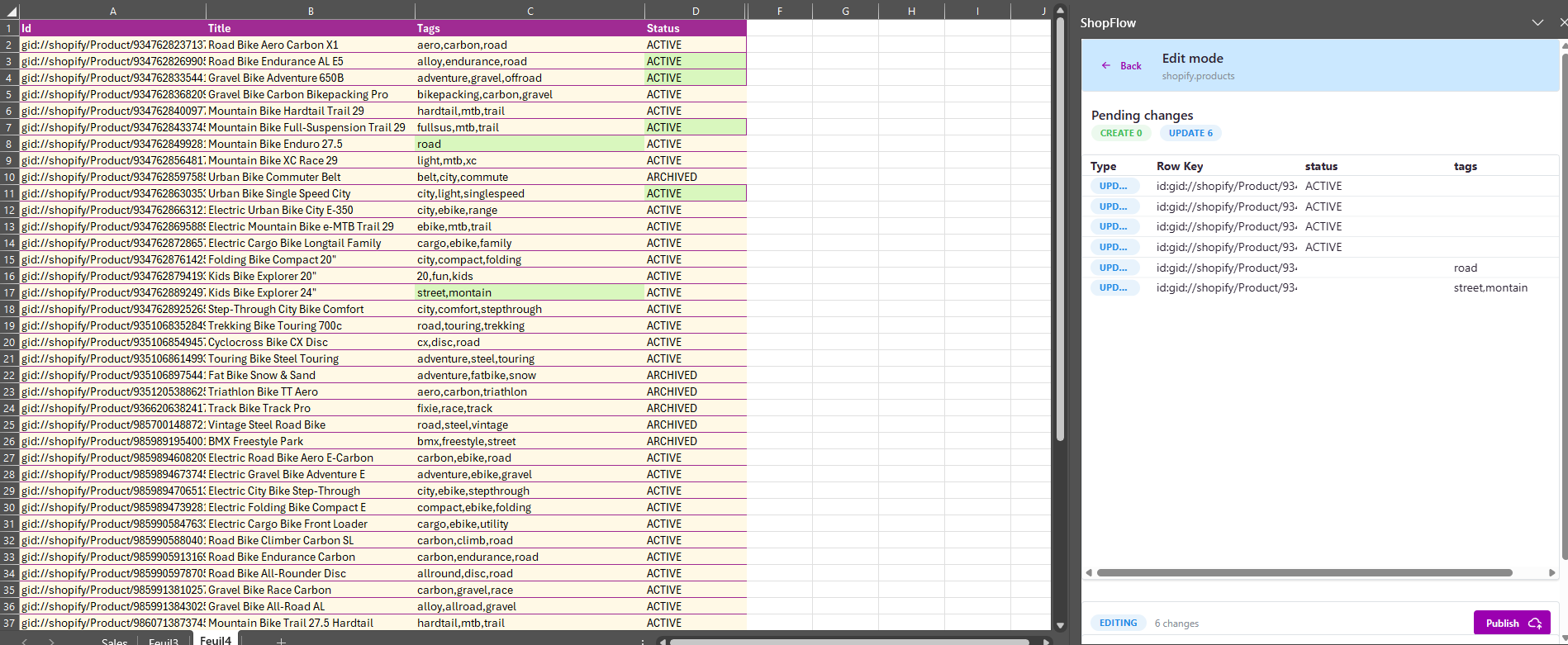 Update titles, prices, inventory, and variants in Excel and publish in minutes.
Input validation 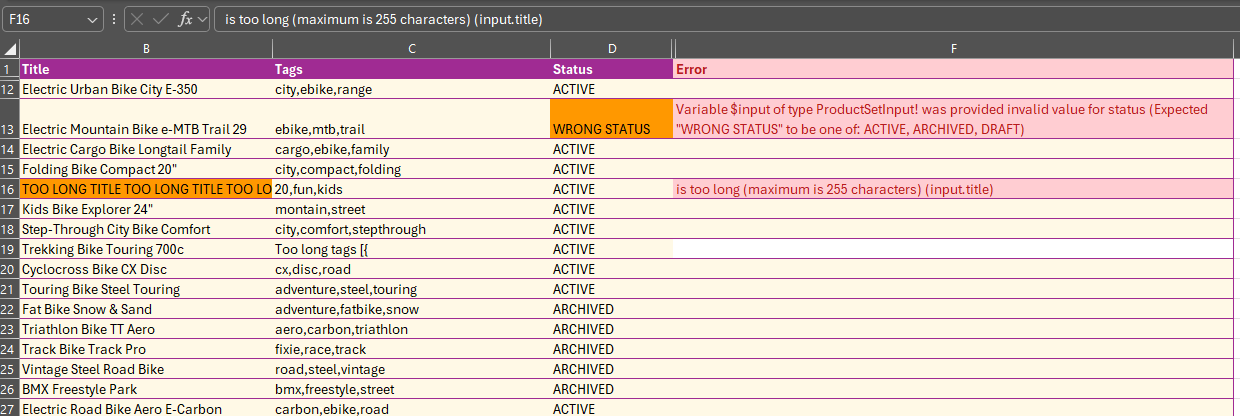 Inline validation catches missing or invalid values before you send updates.
Nested field queries 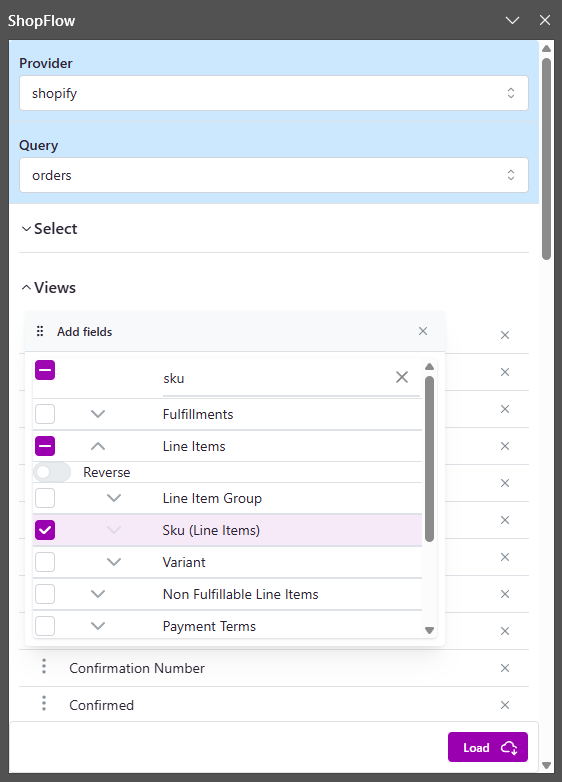 Work with metafields, collections, and nested data without manual mapping.
Sales dashboards 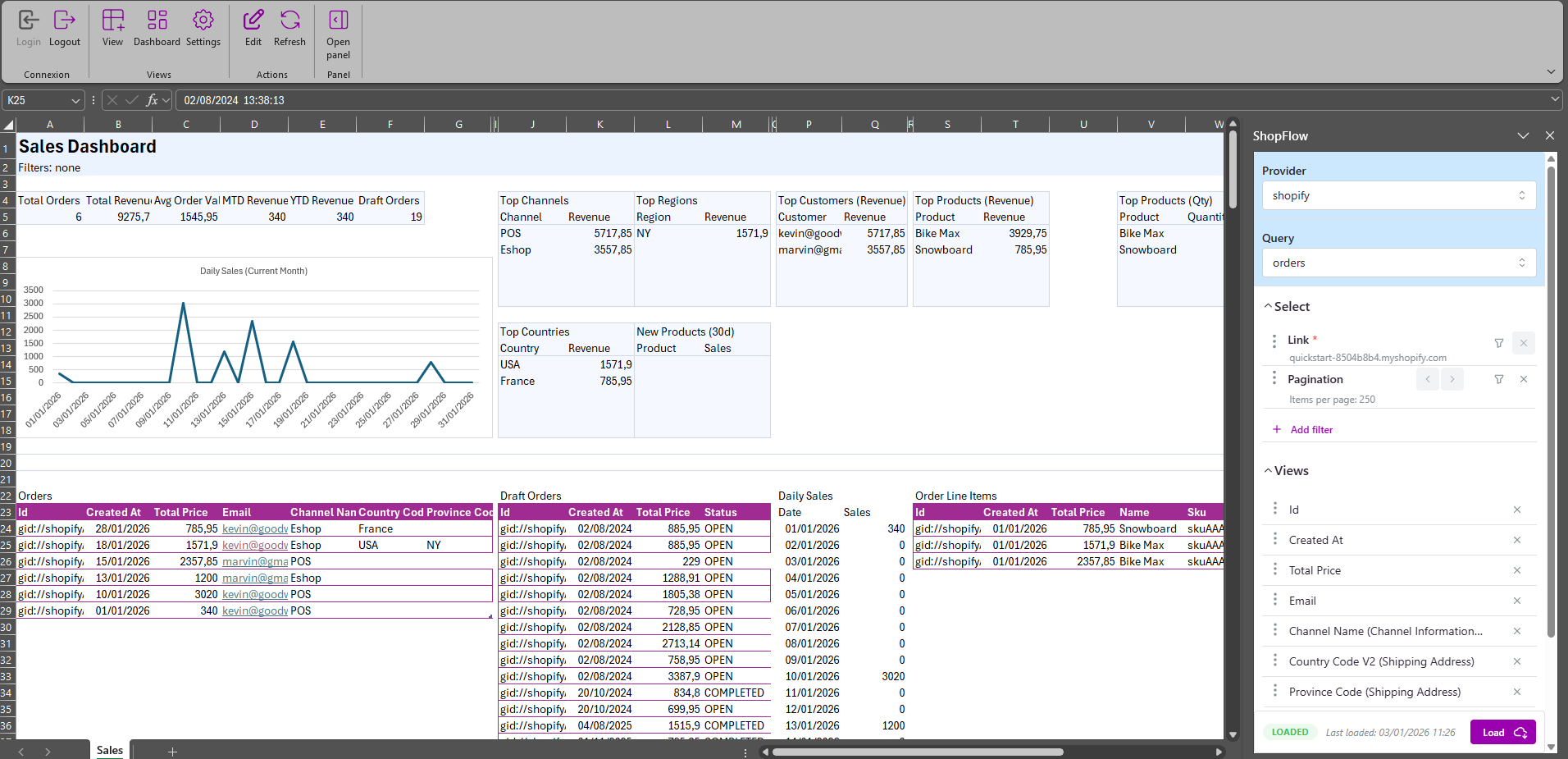 Monitor sales KPIs and product performance from Excel dashboards.
Saved views 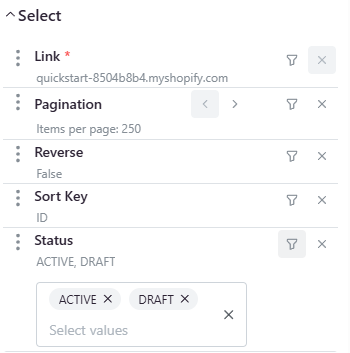 Switch between catalog, inventory, and reporting views instantly.
What you can do:
- Update products, variants, prices, and inventory in bulk - Validate inputs before publishing - Use dashboards and saved views for analysis
Next steps: