Connect exchange API keys (Binance, HTX, ...)
Connect exchange API keys
LinkyFlow works with multiple exchanges. The steps are similar everywhere: create an API key, keep the secret safe, and enable only the permissions you need.
Binance
To create the key, follow Binance's guide: https://www.binance.com/fr/support/faq/comment-créer-des-clés-api-sur-binance-360002502072
In summary, log in to https://www.binance.com/fr/my/settings/api-management and open API Management.

Click Create API in the upper right corner.

Choose System-generated to keep it simple.

Enable Read permissions (and Spot & Margin Trading only if you plan to place orders).

HTX (Huobi)
- Go to https://www.htx.com/en-us/apikey/ and create a new API key.
- Start with Read permission only, then add trading permissions if needed.
Bitvavo
- Log in to Bitvavo and open the API settings: https://account.bitvavo.com/user/api. Create a new API key.
- Keep it read-only to follow balances, orders, trades, deposits and withdrawals; add the trading permission only if you plan to place orders. Never give it withdrawal rights: LinkyFlow does not need them.
- Copy the API key and its secret: Bitvavo shows the secret once.
Bitvavo is a spot exchange quoted in euros (BTC/EUR, ETH/EUR…), with no testnet. Its order history and its trades are read market by market, so give a symbol. An order placed from LinkyFlow is signed with LinkyFlow's operator ID, 7670, so you can tell it apart in your Bitvavo account.
Add the key to LinkyFlow
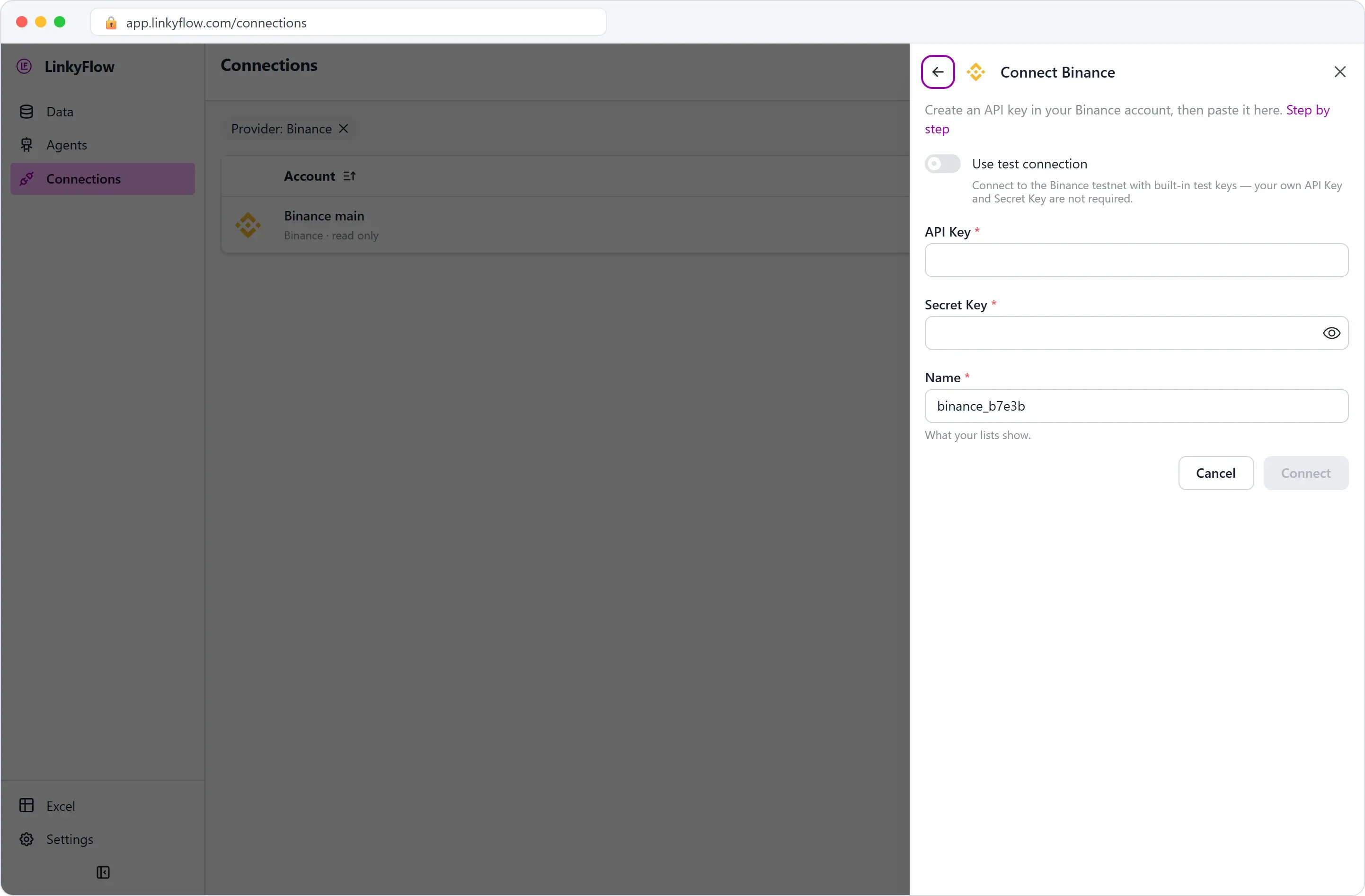
In the LinkyFlow app, open Connections, then Add connection and the exchange; in Excel, the same form opens from the FROM list of the Query panel.
- API Key goes into “API Key”.
- Secret Key goes into “Secret Key”.
- Name is what your lists show (for example “Binance main”).
Then click Connect. To try Binance first without a key of your own, Use test connection connects to the Binance testnet with built-in test keys.