LinkyFlow · for Shopify

Your Shopify store. Automated, asked, in Excel or on the web.

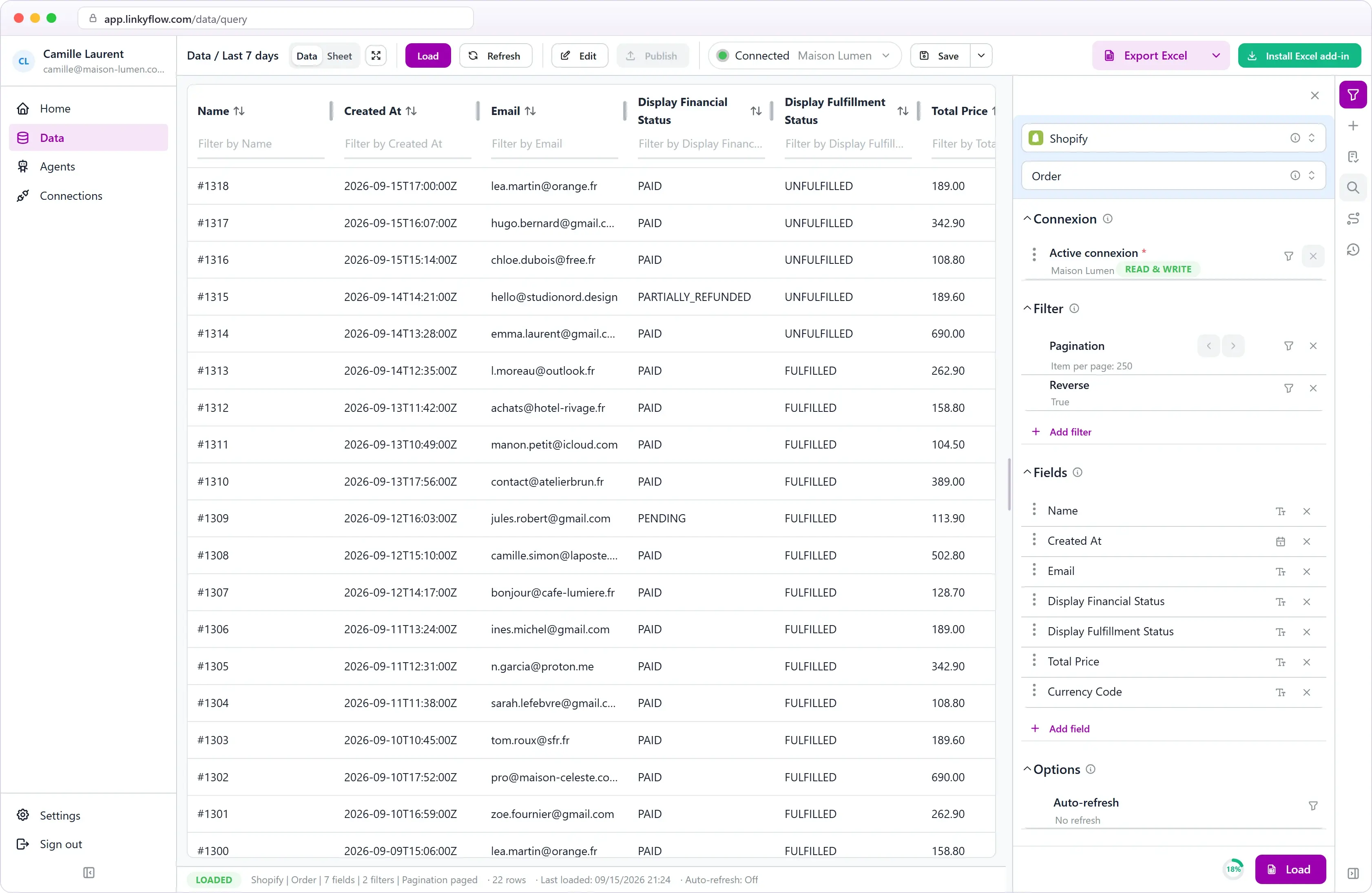
One Shopify connection, three ways to use it. Let agents reconcile your Shopify sales against Stripe and keep stock aligned with your other stores, every hour. Ask ChatGPT about your store through LinkyFlow. And work on products, orders and inventory in Excel or in the web app.

ShopFlow Shopify dashboard in Excel

Automate

reconciliation and stock sync agents, every hour

Ask

ChatGPT and AI assistants, through MCP

Excel + Web

the same live tables, bulk edits before publish

Agents that work with Shopify.

They run every hour on your connected account, report what needs attention, and their results open in Excel or in the web app.

  • Shopify
  • Stripe

Shopify + Stripe Reconciliation Agent

Matches every Shopify transaction paid through Stripe with the real Stripe payment, fee and net amount — and flags what does not reconcile.

  • Missing Stripe payments
  • Amount and currency mismatches
  • Refunds not recorded in Shopify
View agent
  • Shopify
  • WooCommerce
  • eBay

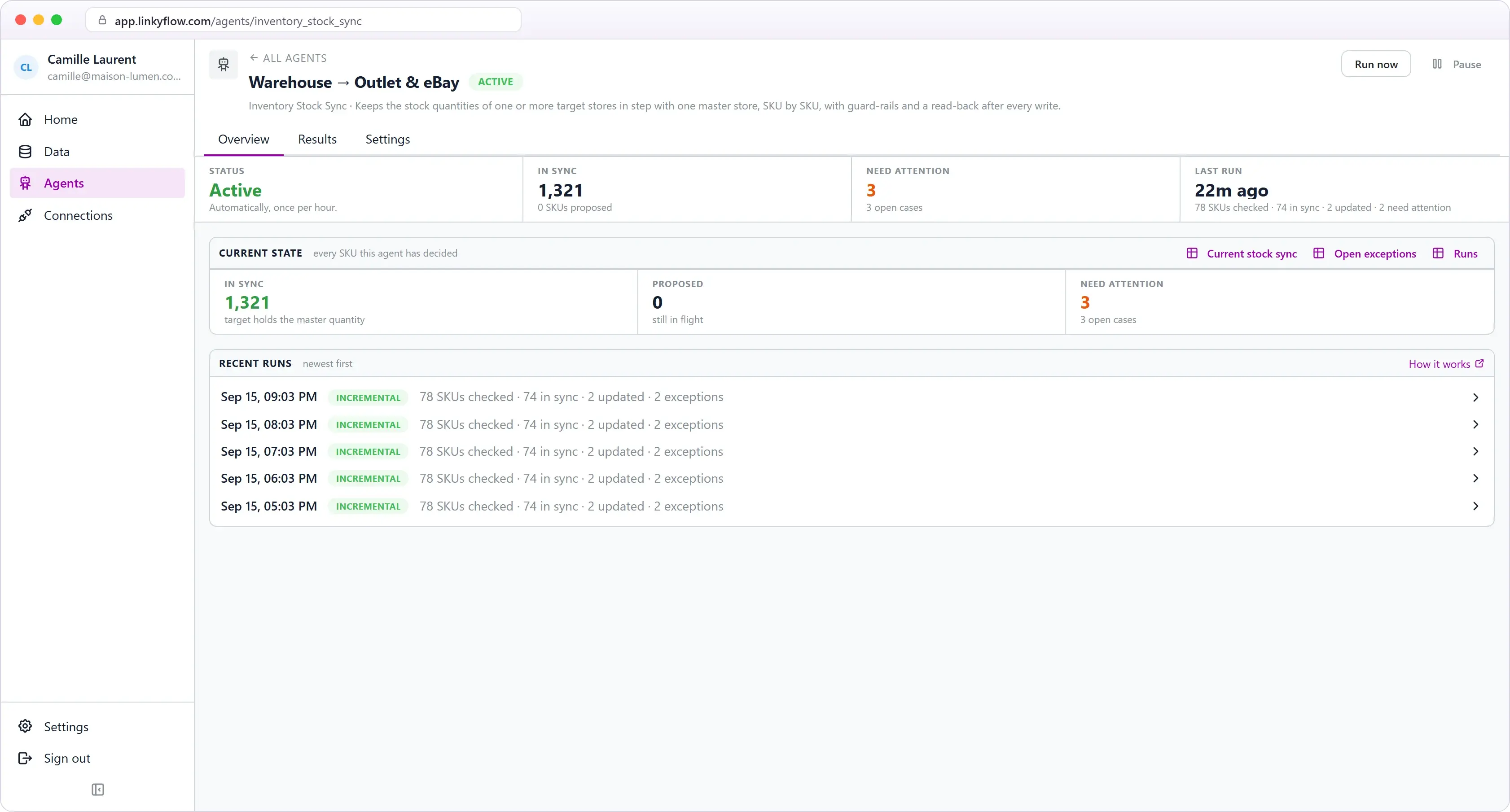
Inventory Stock Sync Agent

Keeps stock quantities in step across your stores, with one master store as the only source of truth.

  • One master store, one or more targets
  • Exact SKU matching, never guessed
  • Guard-rails and a read-back on every write
View agent
Browse all agents

Every Shopify resource. One workbook.

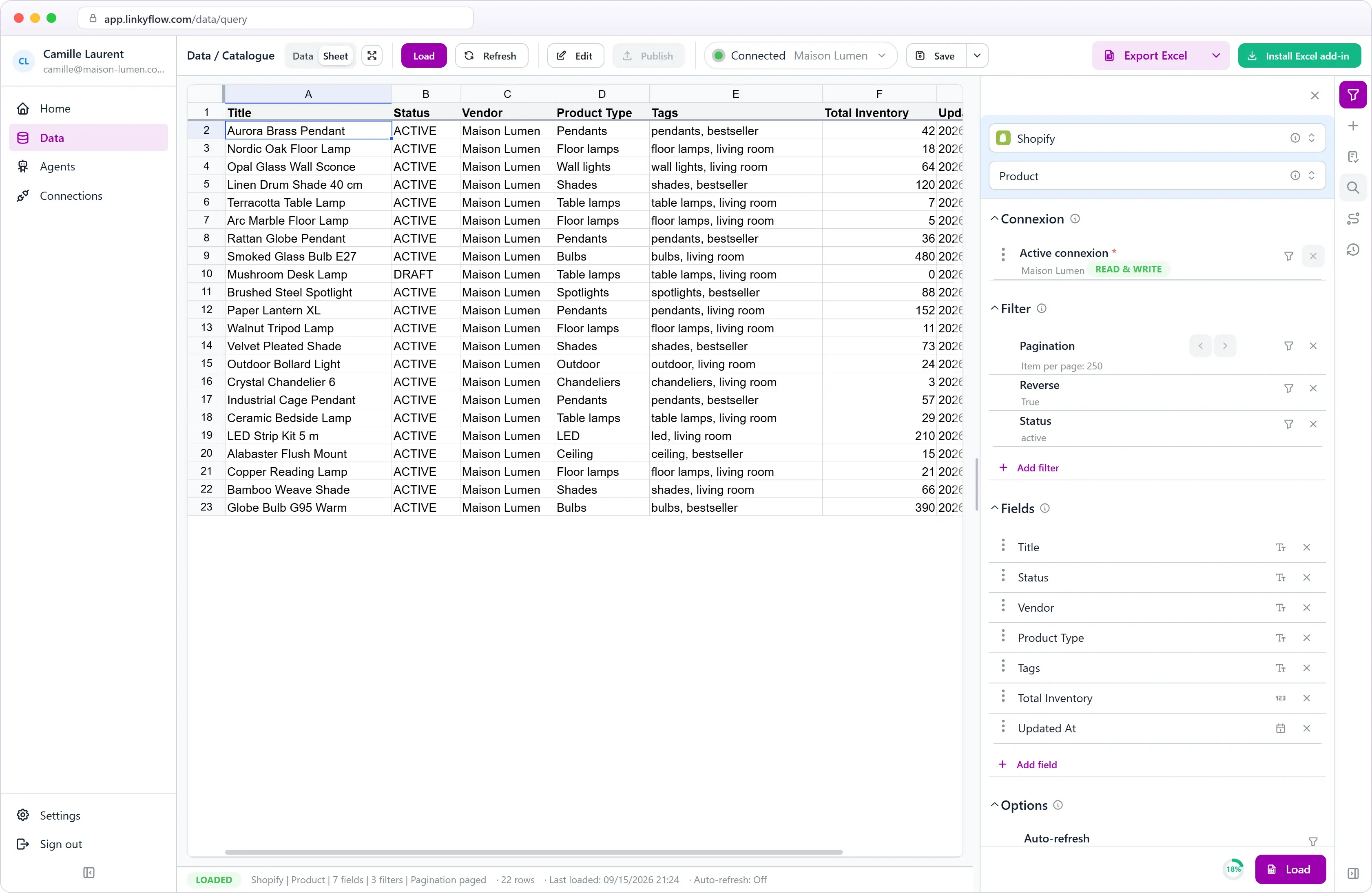
Products, variants, orders, customers, inventory, metafields, collections, and sales channels — all available as structured Excel queries.

Products
Variants
Orders
Customers
Inventory
Metafields
Collections
Sales Channels
Fulfillments
Discounts
+ more

From catalog to publish.

The third of the three: the loop of downloading, editing in a spreadsheet and re-entering in Shopify admin disappears, and becomes one connected workbook.

Mass update products in rows

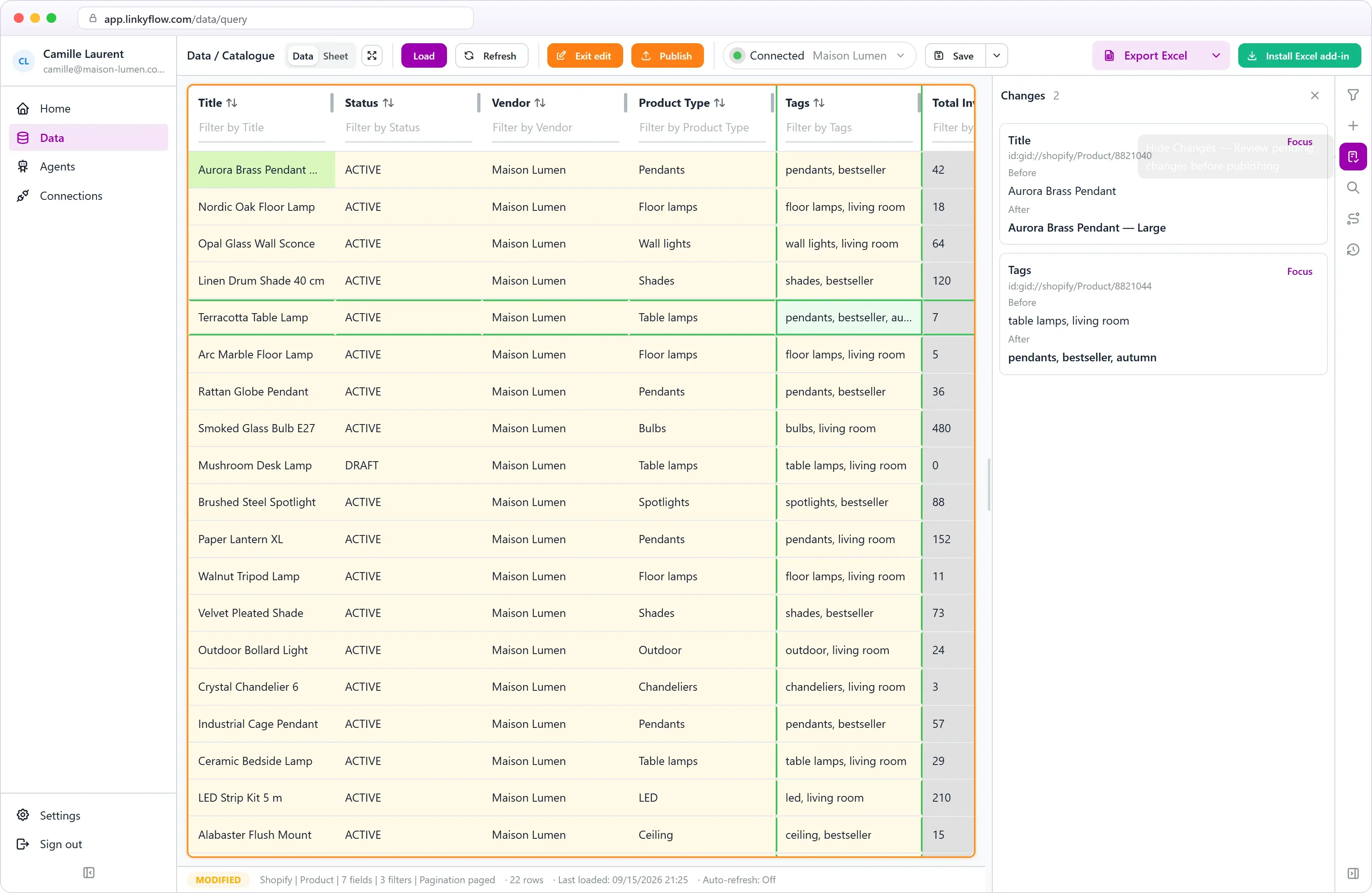
Edit titles, prices, inventory, and variants in Excel rows, then publish supported changes once the data is validated and ready.

Mass update products with ShopFlow for Shopify
Validation feedback in ShopFlow

Catch wrong input before it reaches Shopify

Inline validation flags missing or invalid values directly in the row — before they become Shopify cleanup work.

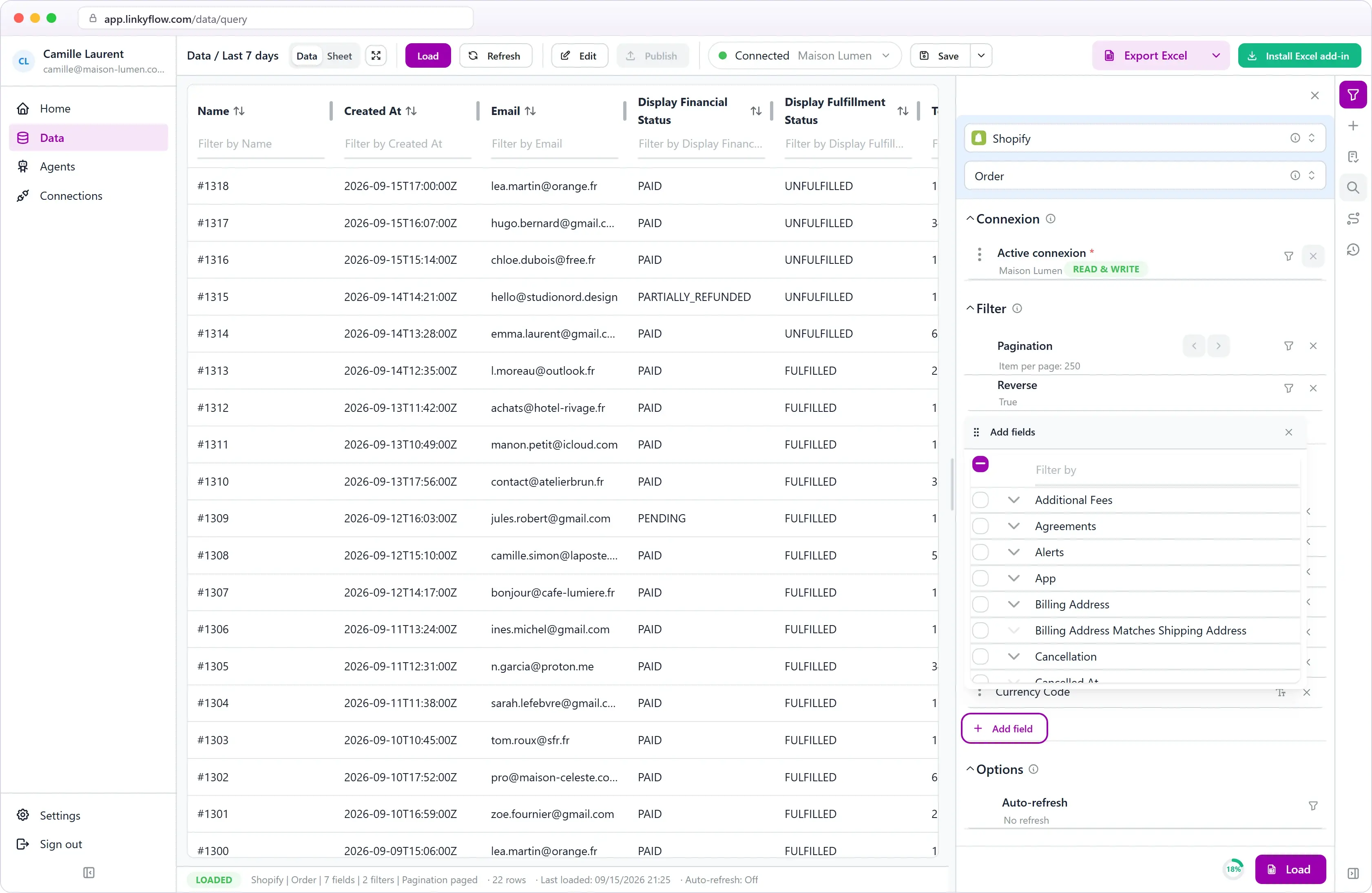
Metafields and nested data as columns

Work with metafields, collections, and nested Shopify data without building manual exports and column mappings.

Complex field selection with subqueries in ShopFlow
Inventory and logistics dashboard in ShopFlow

Inventory and logistics dashboard

Track stock health, inbound flows, and fulfillment next to the formulas and checks your team already uses in Excel.

From install to first publish.

STEP 01

~5 min

Connect your store

Install the Shopify app on your store and authorize access. Takes 5 minutes, no technical setup.

STEP 02

~2 min

Open in Excel or on the web

Open the LinkyFlow web app, or install the Excel add-in from AppSource. Your Shopify store is available in both.

STEP 03

~30 s

Load and publish

Pick a query, load products or orders, edit rows, and publish supported updates back to Shopify.

One connection. Three ways to use it.

Connect your Shopify store to LinkyFlow once: run agents on it, ask ChatGPT about it, and work on it in Excel or on the web.

Frequently asked questions

What can an agent do with my Shopify store?

Two agents run on it, each once per hour on its own. The Shopify + Stripe Reconciliation checks every Shopify transaction paid through Stripe against the actual Stripe payment, verifies the amount and currency, retrieves the real fee and net amount, and flags what does not reconcile; it is read-only and never refunds, captures or edits anything. The Inventory Stock Sync compares stock quantities, by exact SKU, between a master store and your other Shopify, WooCommerce or eBay stores; it starts in Monitor mode, and the only thing it can ever change is a stock quantity on a target store — in Auto mode, or when you approve a proposal.

What does "ask" mean here?

LinkyFlow speaks MCP, so ChatGPT, Claude and other assistants can read your store through your existing connection — recent orders, what sold, which payments reconciled — with your explicit authorization and without ever seeing a credential.

What Shopify data can I access from Excel?

Products, variants, prices, inventory, metafields, collections, orders, customers, and sales channels — all available as Excel queries.

Can ShopFlow publish bulk updates to Shopify?

Yes. Prepare changes in Excel rows, review inline validation feedback, and publish supported updates back to Shopify.

Is ShopFlow only for technical teams?

No. It is designed for product managers, catalog ops, and ecommerce teams who already use Excel to prepare catalog and inventory work.

Does it work with large catalogs?

Yes. Pagination and filtering let you load exactly the slice of data you need — products by status, orders by date range, inventory by location.