
Binance and crypto exchanges. Live in Excel.
Connect Binance and nine other exchanges with an API key: your balances, orders, trades and positions, and the markets, land in Excel tables you refresh. Build a dashboard in one click, and place an order only when you confirm it.
10
exchanges, one contract
19
queries and =LF functions per exchange
1 min
fastest auto-refresh (Pro)
SUPPORTED EXCHANGES
10 exchanges. One workbook.
Spot on all ten; margin on Binance, OKX, Bitget, Gate.io, HTX and, for borrowing, Bybit; futures on Binance, Bybit, OKX, Bitget, Gate.io, HTX and MEXC. Each exchange answers the same queries with the same columns.
HOW IT WORKS
From market data to decisions.
The usual loop — open the exchange, export a CSV, paste it into Excel — becomes a workbook connected to your accounts, which you refresh when you want.
CONNECT
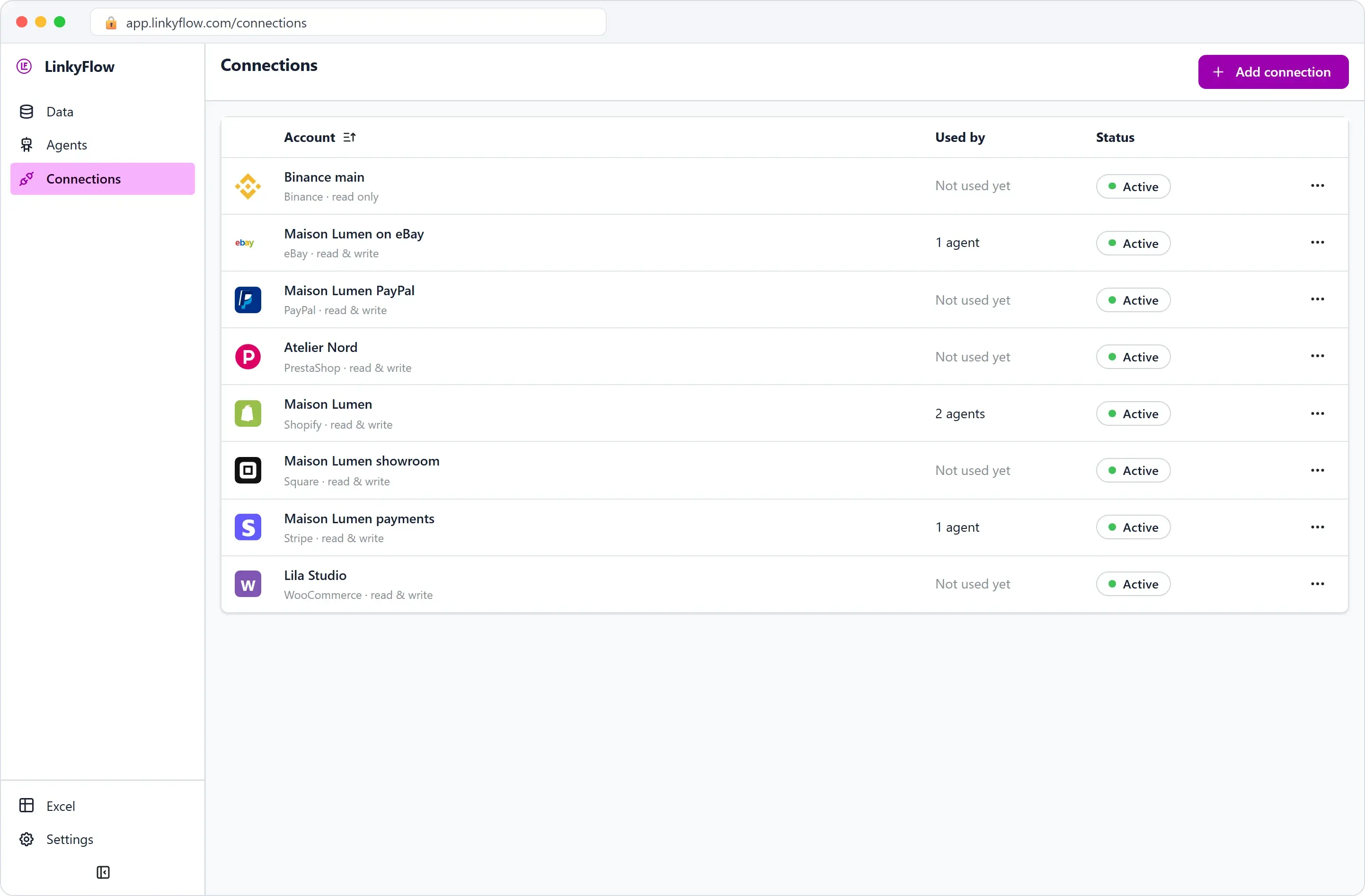
One API key per exchange, every account in one place
Add each exchange with its API key, read-only to begin with, and choose its environment: production, or a testnet or Demo Trading to try everything first. LinkyFlow works out what the exchange, the environment and the key allow, and offers nothing they refuse.
PORTFOLIO
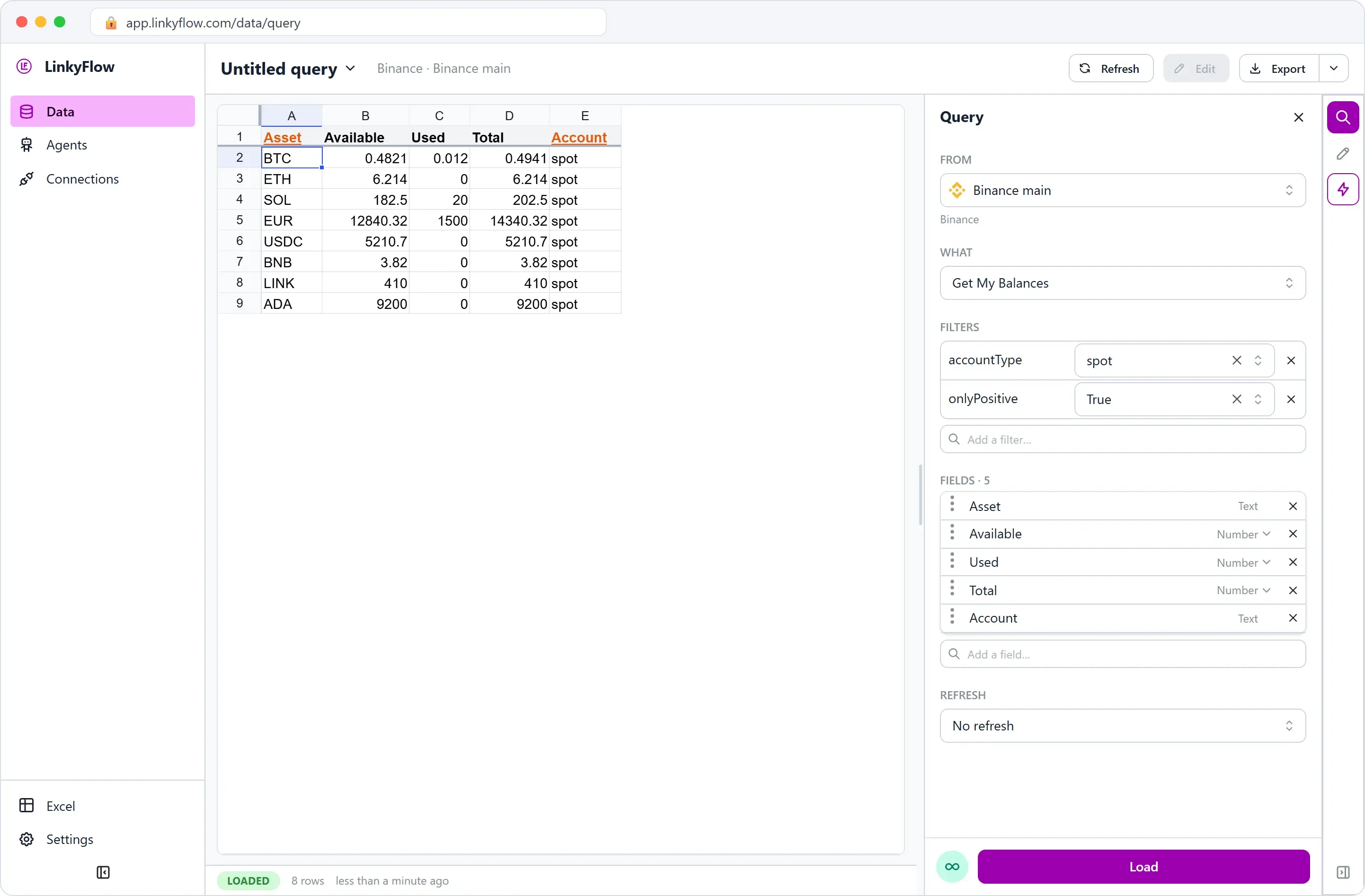
Every balance, valued in your currency
Load your spot, margin and futures balances, valued in the currency you choose at each exchange’s last price, next to your deposits, withdrawals and trades. Build allocation and P&L views on top, in Excel or in the web app.
TRADING
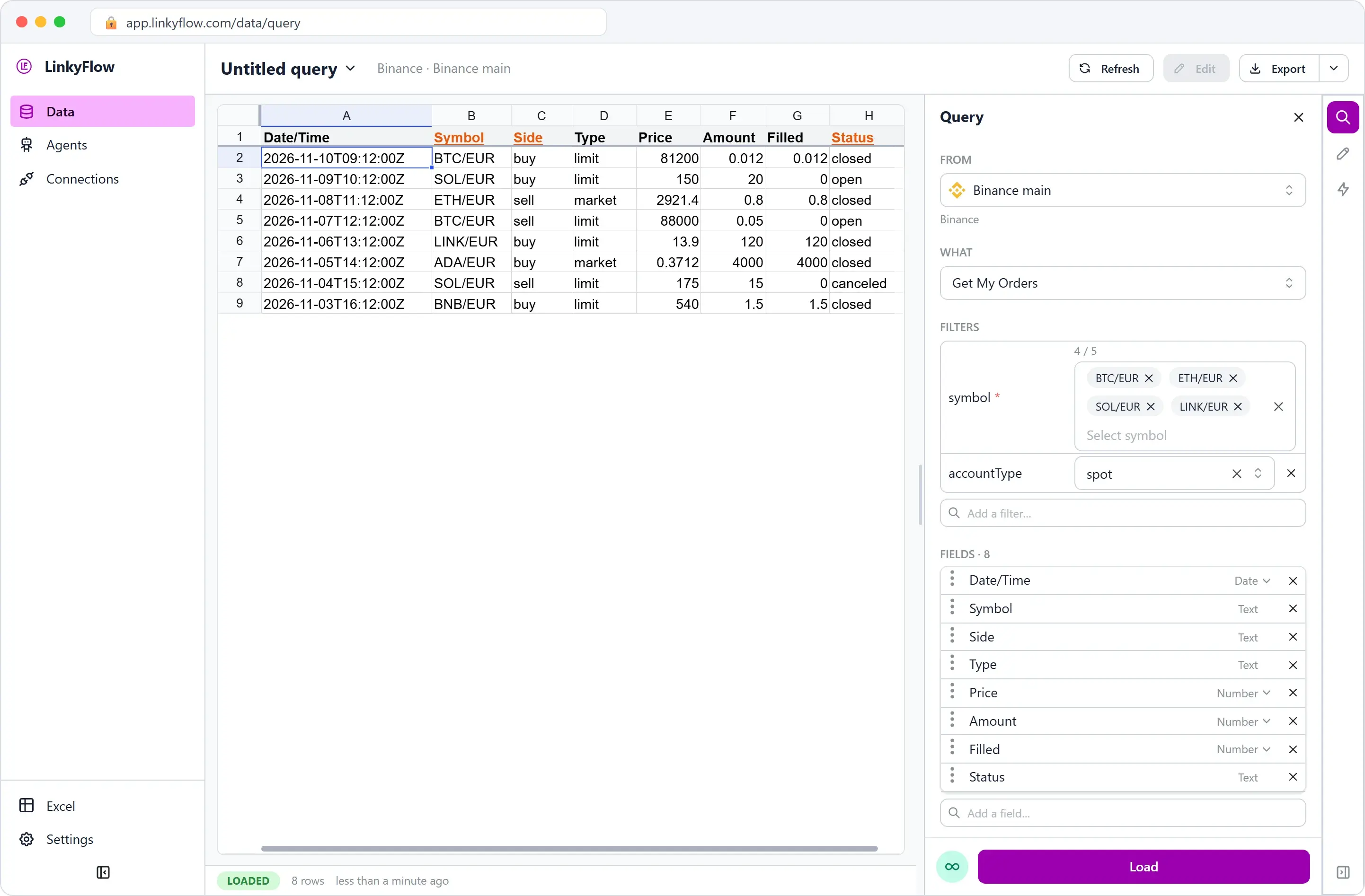
Orders you confirm, one at a time
A sheet never sends an order by itself. With a key allowed to trade, place a spot order from the Actions pane, checked against the market’s rules before it leaves and read back once placed; open and close futures positions, borrow and repay on margin from their dashboards.
WHAT YOU GET
Six reasons to stay in Excel.
Your account, as tables
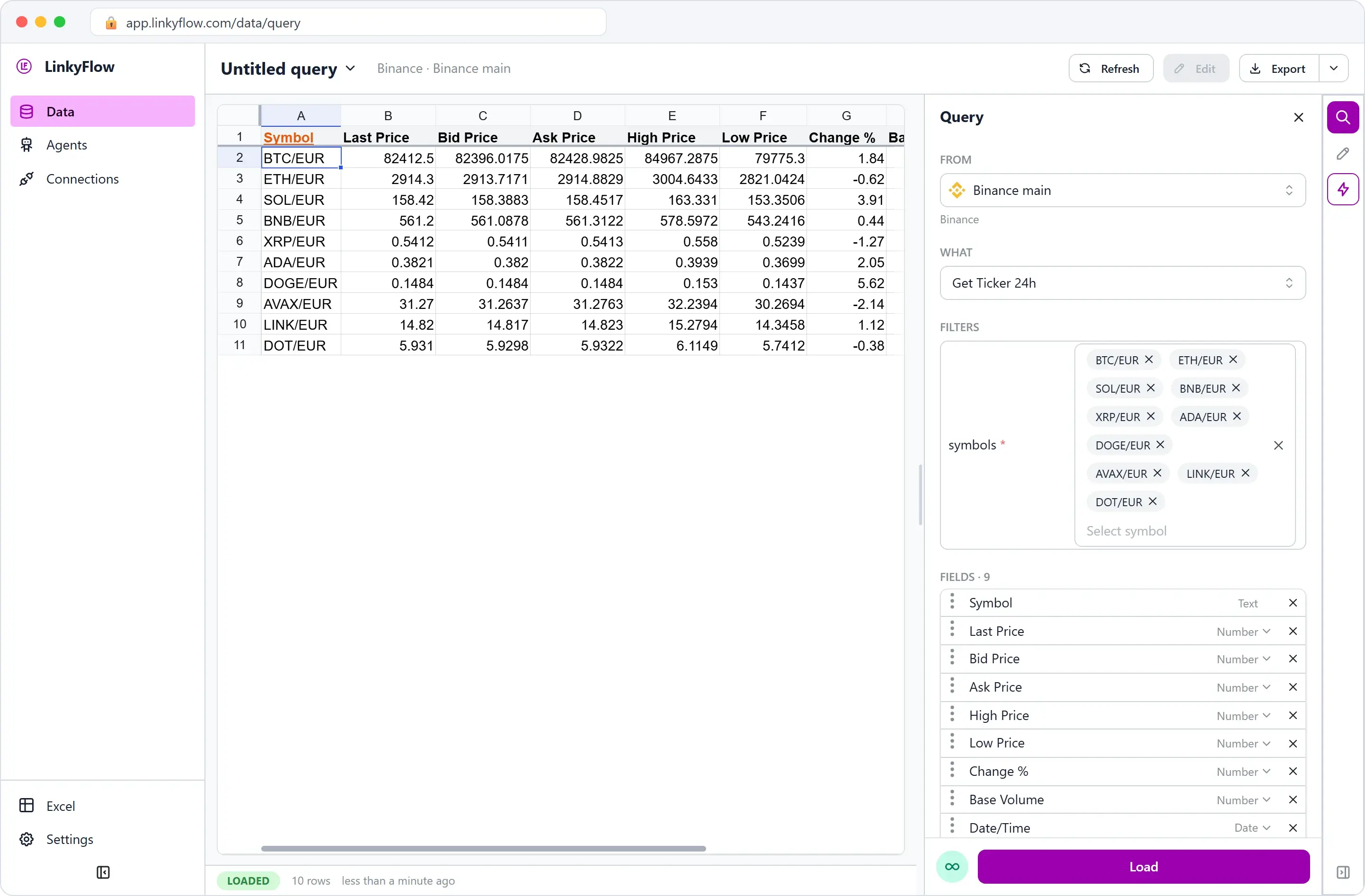
Balances, deposits, withdrawals, orders, open orders, trades, positions, borrow rates and interest: each one a refreshable Excel table, or a formula such as =LF.binance.myBalances in any cell.
The markets, with no account
24-hour tickers, order books, candles, public trades, funding rates and each market’s rules, from any of the ten exchanges, with no API key.
Dashboards in one click
From the ribbon: one symbol followed closely, a watchlist, your portfolio in your currency, your deposits and withdrawals, a symbol compared across exchanges, a crypto trading dashboard, and the futures and margin dashboards.
Refreshed on your schedule
Refresh a table, or every table of the sheet, in one click, or let it reload on its own: every hour on Free, every minute from Pro.
Read-only until you decide
A read-only key reads everything above. Trading needs a key allowed to trade, and LinkyFlow never asks for the right to withdraw.
Test before you trade
Binance Spot Testnet and Demo Trading, and the testnets of Bybit, OKX, Bitget and Gate.io: a test connection only ever reaches its own environment.
3 STEPS
From install to first dashboard.
STEP 01
~15 s
Install the add-in
Open LinkyFlow in Excel in one click, or get it on Microsoft AppSource. It runs on Windows, on Mac and in Excel on the web.
STEP 02
~1 min
Connect an exchange
Create a read-only API key on the exchange and add it as a connection, in production or on a test environment.
STEP 03
~30 s
Load a table or a dashboard
Load your balances from the panel, type an =LF formula in a cell, or build a dashboard from the ribbon.
GUIDES
Go further, step by step.
Get started with crypto exchanges in LinkyFlow
Connect Binance and nine other crypto exchanges to Excel with an API key, read prices, balances, orders and positions, test on testnet or demo, then trade.
Read →Connect Binance and other exchange API keys
Create an API key on Binance, HTX or Bitvavo with only the permissions LinkyFlow needs, then add it as a connection in the web app or the Excel add-in.
Read →Binance API key permissions for LinkyFlow
Which Binance API key permissions LinkyFlow needs: reading for your data, spot and margin trading only to place orders, never withdrawals, and IP restrictions.
Read →Build an Excel dashboard with the Page Builder
Open the LinkyFlow Page Builder from the Excel ribbon, pick a dashboard for your exchange or store, set its connection and filters, and build it in one sheet.
Read →Crypto exchange dashboards for Excel
Ready-made Excel dashboards for your crypto exchange account and the markets, built from the LinkyFlow ribbon: a pair, portfolio, flows, watchlist, comparison.
Read →Track one crypto pair in Excel
One crypto pair in one Excel sheet: order book, 24-hour ticker, price chart, public trades, your balances and orders, and a buy panel that prepares an order.
Read →Crypto portfolio snapshot in Excel
Your crypto exchange account in one Excel sheet: each asset valued in your currency, a chart of the largest holdings, and recent deposits and withdrawals.
Read →Crypto deposits and withdrawals in Excel
Every deposit and withdrawal of your crypto exchange account over a period, in one Excel sheet: the balances they lead to, the totals and their chart.
Read →Crypto watchlist of several pairs in Excel
Follow several crypto pairs in one Excel sheet: last price, bid, ask and 24-hour change of each, next to your balances and recent deposits and withdrawals.
Read →Compare a crypto price across exchanges
Compare one symbol's bid, ask and spread on Binance, Bybit, OKX, HTX and Coinbase in one Excel sheet, read from public market data: no API key is needed.
Read →Crypto futures trading dashboard in Excel
An Excel dashboard for crypto futures: open positions, futures wallet, funding rate and P&L KPIs, with buttons to open or close a position and set leverage.
Read →Crypto margin trading dashboard in Excel
An Excel dashboard for crypto margin: wallet and debt per asset, borrow rates and interest, with buttons to place a margin order, borrow and repay an asset.
Read →Should crypto be part of your liquidity strategy?
What liquidity is and why a company needs it, how crypto-assets compare with fiat money, and the risks of using cryptocurrency as a primary currency.
Read →Crypto and financial inclusion: opportunities and risks
How crypto can bring financial services to people with little access to banks (lower costs, credit, digital identity) and its risks: regulation, volatility.
Read →Read your Binance balances and trades in Excel
Connect Binance to LinkyFlow with a read-only API key, then read your balances and trades into Excel and refresh them whenever you want.
Read →Crypto arbitrage: compare exchange prices in Excel
Compare one symbol's bid and ask on Binance, Bybit, OKX, HTX and Coinbase in one Excel sheet, and check that a price gap survives the fees before trading it.
Read →Buy bitcoin on Binance with LinkyFlow: price, order, proof
Read the price, order book and market rules, preview a 100 USDT market buy, place it, then check the order, the fill and the balance on a Binance Spot testnet.
Read →Your exchanges. In one workbook.
Install LinkyFlow for free, connect one exchange with a read-only key, and load your balances in Excel.
Frequently asked questions
Which exchanges are supported?
Binance, Coinbase, OKX, Bybit, HTX, Bitget, Gate.io, MEXC, Upbit and Bitvavo. Spot works on all ten; margin and futures where the exchange offers them through LinkyFlow (Binance, OKX, Bitget, Gate.io, HTX; Bybit and MEXC in part).
Can I try it without real money?
Yes. A connection is made in production or on a test environment: Binance Spot Testnet (spot only) and Demo Trading (paper money, futures included), and the testnets of Bybit, OKX, Bitget and Gate.io, each with its own keys.
Can LinkyFlow place orders from Excel?
Yes, when your API key allows trading: a spot order from the Actions pane or a dashboard’s buy panel, futures and margin orders from their dashboards. Each order is one action you confirm; a sheet never sends one by itself.
Is LinkyFlow useful without trading permissions?
Yes. Balances, history, positions, market data and every dashboard work with a read-only key.
Which Excel functions does it add?
Nineteen per exchange, the same names on each: =LF.binance.myBalances, =LF.okx.getTicker24h, =LF.bybit.myPositions… The first argument selects (the connection, the symbols), the second lists the columns.
Can I ask ChatGPT or Claude about my exchange accounts?
Yes. Through LinkyFlow’s MCP server, an assistant reads your balances, orders, trades, positions and the markets of your connected exchanges. It places no order.
Which versions of Excel does it work on?
Microsoft 365 and Excel 2021 or later, on Windows and on Mac, and Excel on the web.