
Two Shopify stores, one stock: a master, exact SKUs, every hour
Running two Shopify stores on the same products — one per country, a wholesale store, an outlet — means two stock counts that drift apart with every sale. Make one store the master and give LinkyFlow's Inventory Stock Sync agent the other as its target: every hour it compares each SKU and, in the mode you choose, reports the difference, proposes the change, or sets the second store's quantity. On a Shopify target, Shopify itself refuses the write if a sale moved the stock since the agent read it, so a sale is never erased. Add the Omnichannel Sales agent and the second store's sales come off the master too, every 5 minutes.
The figures below are an illustrative example, not a run on a real store.
The setup in one table
| Inventory Stock Sync | Omnichannel Sales | |
|---|---|---|
| Direction | master store → second store | second store's sales → master store |
| What it writes | the second store's available quantity, set to master − safety stock, never below zero | the master's available quantity, lowered by the units each sale took, once per order line |
| When | every hour, the whole catalogue, and on demand | every 5 minutes, and as soon as Shopify notifies an order |
| Safety on the write | Shopify refuses it if the stock moved since the read; then read back | the same check on the master; then read back |
The same agent works on any pair of stores LinkyFlow connects: the same provider can be the master and a target, two Shopify stores included. What it refuses is a store set as its own target at the same location.
Before you start
- Both stores connected, one connection each. Install LinkyFlow from the Shopify App Store on each store: Shopify asks which store to connect, then brings you back (Install LinkyFlow for Shopify). No key to copy.
- The same SKUs on both stores. Matching is by exact SKU, spaces trimmed, case kept:
TEE-BLK-Mandtee-blk-mare two SKUs. A SKU carried by two variants of one store is reported, never guessed. - Tracked inventory, at the right location. The agent syncs only items whose inventory Shopify tracks, and only at one location per store, which you choose when the store has several: locations are never added up. An item not stocked at the chosen location is reported; stocking it there is your step, in Shopify.
- Active products. Archived products are left out; drafts are synced.
- A plan that runs agents. The stock sync alone needs two connections and one agent: Starter (three connections, one active agent). With Omnichannel Sales, it is two agents: Pro. Both include a 15-day free trial.
Step 1 — Add the stock sync, in Monitor
In the web app: Agents, Add agent, Inventory Stock Sync.
- Master store: the store whose stock is the truth, and its location.
- Target stores, Add target: the second Shopify store, its location, and a Safety stock if you want units held back there.
- Mode: Monitor, which writes nothing.
- Add it, then Run now on its page.
The first run that sees a target only compares it: nothing is written until the agent holds a reading of its own to compare the next one with.
Step 2 — Read what it found
A second run on our illustrative example, safety stock 0:
| SKU | Master store | Second store | Status in Monitor | In Auto |
|---|---|---|---|---|
| TEE-BLK-M | 24 | 19 | OUT_OF_SYNC | set to 24, read back: UPDATED |
| TEE-BLK-L | 10 | 10 | SYNCED | nothing to write |
| MUG-SAND | 12 | inventory not tracked | NOT_TRACKED | nothing written |
| CAP-NAVY | 8 | not stocked at the chosen location | LOCATION_NOT_FOUND | nothing written |
| SOCK-3P | 40, unchanged | 37 (40 at the last run) | OUT_OF_SYNC, the drop explained | UPDATE_PROPOSED, never raised on its own |
- MUG-SAND: turn on inventory tracking for that variant in the second store. LinkyFlow never switches it on.
- CAP-NAVY: stock the item at that location in Shopify, then run again.
- SOCK-3P dropped on the second store while the master did not move: most likely a sale there. Raising it back to 40 could put sold units up for sale again, so the agent never does it on its own. Step 4 settles it.
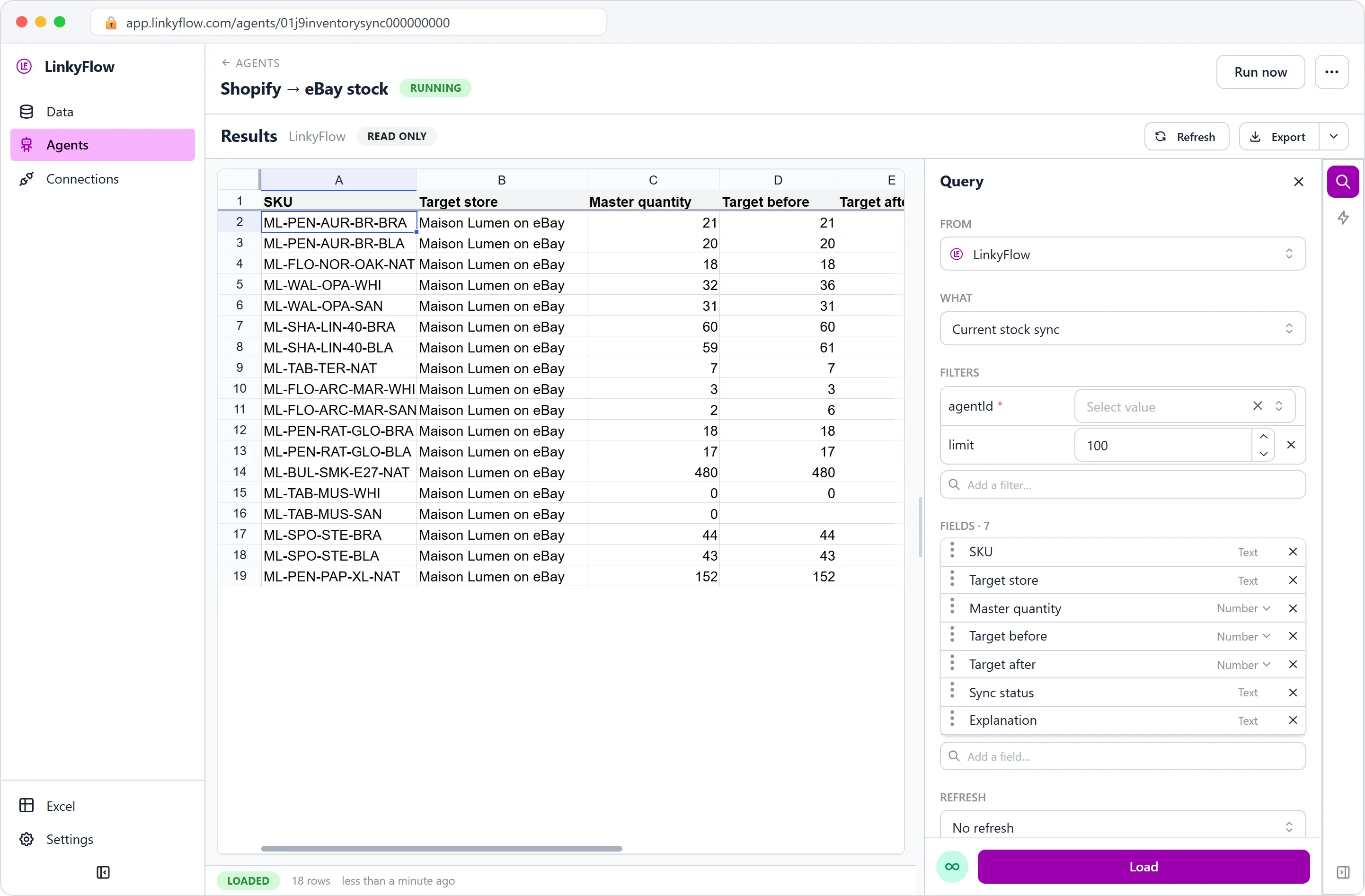
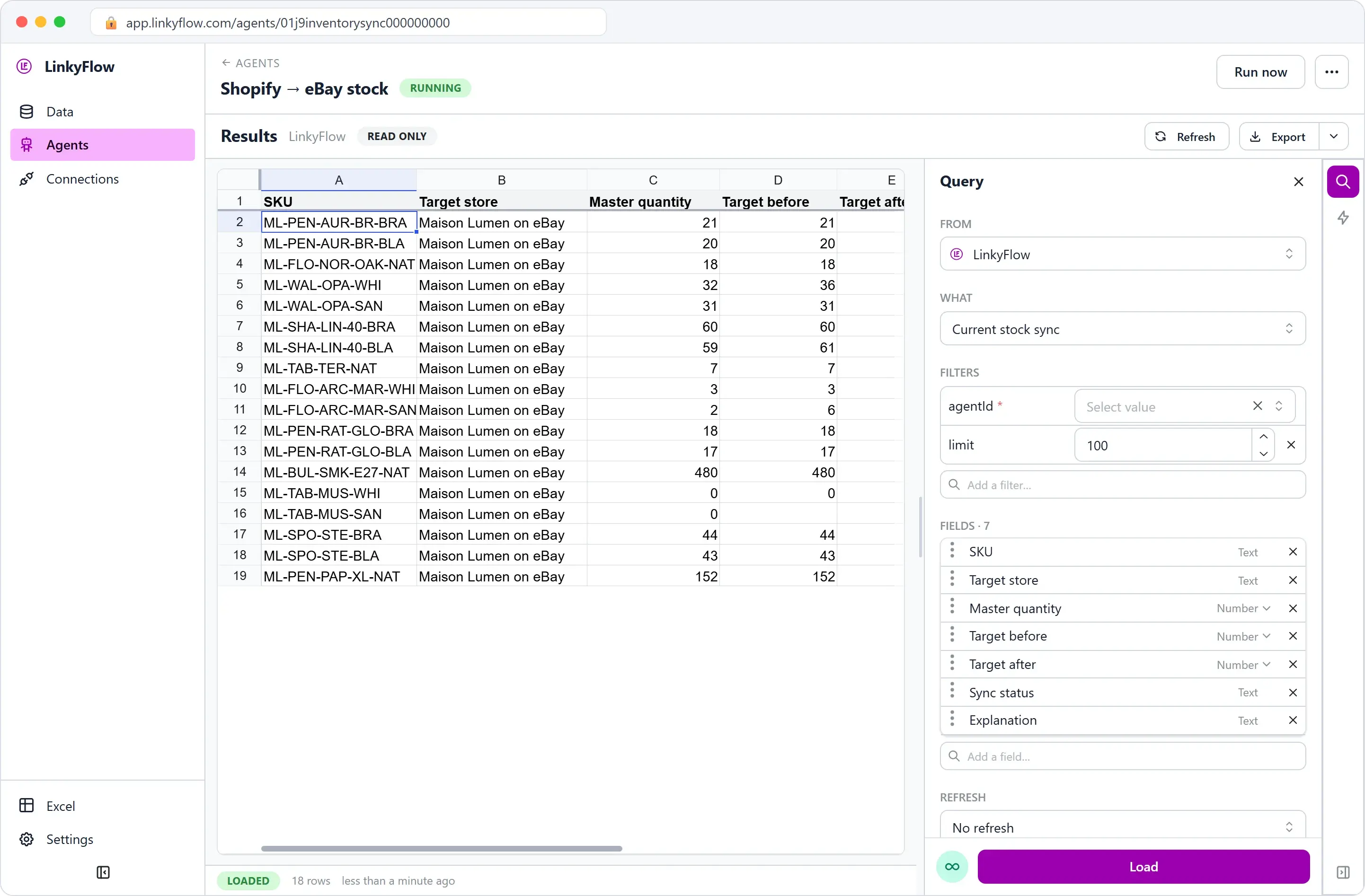
Results, on the agent's page, shows these rows; Export opens them in an Excel workbook that stays connected.
Step 3 — Let it write
- Approval: each difference becomes a proposal you approve or reject, on the agent's page or from ChatGPT or Claude. Before an approved write, both stores are read again and the guard-rails applied again.
- Auto: the second store's quantity is set, then read back, and counted as updated only when Shopify holds the wanted quantity.
Either way, the write tells Shopify the quantity the agent read. If a sale landed on the second store between the read and the write, Shopify refuses the write; the agent reports it and looks again at the next run. Shopify is the only platform where that window is protected — on WooCommerce or eBay, a sale landing there is erased from the count until the master moves.
The guard-rails of the stock sync apply here as everywhere: by default, no change over 500 units or 300 % of the target's stock, no write to a store when over 25 % of its catalogue suddenly needs one, and a master reading older than 30 minutes is read again.
Step 4 — Bring the second store's sales back to the master
The stock sync replicates the master; it does not count the second store's sales. Agents, Add agent, Omnichannel Sales:
- Master store: the same store and location.
- Sales channels, Add channel: the second Shopify store. To Does the master already record its sales?, answer No — apply its sales, unless an app already copies its orders into the master: then Yes — observe only, or each sale would be counted twice. Answer it rather than leaving it unstated: a channel left unstated is held as soon as the master seems to record its orders, until you say which it is.
- Stock Sync to trigger: the stock sync of step 1.
- Monitor first, then Approval or Auto.
With SOCK-3P: the agent reads the second store's order of 3 units, takes 3 off the master (40 → 37) with the same check against a sale landing at that moment, reads it back, then runs the stock sync on SOCK-3P. The master's 37 is what the second store holds: back in sync, nothing written there.
Orders placed before the agent first read the second store are never applied: if the master missed some, correct it in Shopify.
Don't sync both ways with two stock syncs
Two writing stock syncs in opposite directions — A → B and B → A — are refused when you save the second: they would chase each other every hour. One master, plus Omnichannel Sales for the other store's sales, is the two-way setup. A chain (A → B, then B → C) is allowed.
How often, and the limits
- Hourly for the stock sync, plus Run now; linked to Omnichannel Sales, it also runs minutes after a sale on the SKUs that moved.
- Every 5 minutes for Omnichannel Sales, and at once when Shopify notifies an order of the second store.
- Up to 100,000 stockable items per connection and run; a larger catalogue is reported as truncated.
- Stock quantities only: products, prices and orders are never touched, and no stock is reserved. The Price Sync agent aligns list prices.
- Run detail is kept 90 days; the run summaries and the current sync stay.
FAQ
Can both stores sell the same items without overselling? The agents narrow the gap: a sale reaches the master within the 5-minute cycle and the other store minutes later. They do not reserve stock, so a safety stock on the second store is your buffer for the minutes in between.
Do the two stores need the same currency? Not for stock: only quantities are compared. Prices are another agent's job, in one currency.
Can I sync a third store? Yes: add it as another target of the same stock sync, and as another sales channel of Omnichannel Sales. Each store is one connection.
Go further
- Inventory Stock Sync agent and Omnichannel Sales agent: every status, every rule.
- Sync stock between Shopify and WooCommerce by SKU, and eBay and Shopify.
- LinkyFlow for Shopify.