
Reconcile Shopify with Stripe, transaction by transaction, read-only
Connect Shopify and Stripe to LinkyFlow and add the Shopify + Stripe Reconciliation agent. Once an hour it takes every Shopify transaction paid through Stripe, finds the Stripe payment by an identifier, checks its amount, currency and status, records the fee Stripe actually took and the net, and opens a case for each sale that does not reconcile. It is read-only: it never refunds, captures or edits anything at Shopify or Stripe.
One condition comes first: your sales must go through the Stripe payment app for Shopify. Shopify Payments runs on Stripe but is paid out by Shopify, into no Stripe account you can connect, so the agent counts those transactions and skips them — as it does PayPal or a manual payment.
The example below is an illustrative data set, not a run on a real store. The screenshots show the LinkyFlow web app on demo data.
Why transactions, not order totals
One Shopify order can carry an authorization and a later capture, two partial payments, or a sale and a refund. Its total says nothing about which of them reached Stripe, which is why lining up order totals against a Stripe export looks right and is not. The agent reconciles each transaction that moved money — a sale, a capture, a refund — and leaves out authorizations, voids and test transactions.
1. Check which gateway your sales use
In LinkyFlow, load Shopify's Order table with the Gateway filter set to stripe. Orders come back: they are this agent's. Nothing comes back: your sales go through another gateway, and this agent will report them as skipped, with the gateway's name.
2. Connect both accounts
- Shopify: install LinkyFlow from the Shopify App Store (Install LinkyFlow for Shopify).
- Stripe: a secret key or a restricted key, typed in LinkyFlow's connection form, never in a chat (Stripe connection setup). The agent only reads.
You can add the agent before connecting either one: it waits, and starts within the hour once both connections are there. A connection that exists but cannot be used — switched off, never verified, its key revoked — is named as such, with the fix.
3. Add the agent
In the web app: Agents, Add agent, Shopify + Stripe Reconciliation. Pick the Shopify and Stripe connections, name the agent, add it. Then Run now on its page, or wait for the hour.
The first run reads as far back as Shopify lets your connection read, catching up over several runs on a large store. That is 60 days of orders unless your store has given LinkyFlow access to all its orders: asked at install, and asked of a store installed earlier on its next visit to the app. The agent records how far back it could see rather than implying the rest reconciled. After that, an hourly run only looks at the Shopify sales created or changed since the last run, the new Stripe records and the cases due another look — so an order from January refunded this morning is found, because it changed.
The agent runs on a paid plan: Starter runs one active agent, with a 15-day free trial.
4. Read the verdicts
Here is what a run concludes on our illustrative data set, in euros:
| Order | What Shopify recorded | What Stripe holds | Verdict |
|---|---|---|---|
| #1041 | €149.90 sale through stripe, the Stripe payment's id on the transaction | that payment, succeeded, €149.90; fee €3.72, net €146.18 | RECONCILED, fee and net recorded |
| #1042 | €89.00 sale | the payment exists, not settled yet | PENDING, checked again next run |
| #1043 | €129.90 sale, a Stripe id on the transaction | no payment with that id on the connected account | NOT_FOUND |
| #1044 | €149.90 sale | the payment is for €144.90 | AMOUNT_MISMATCH, difference €5.00 |
| #1045 | €59.00 sale, then a €59.00 refund; order refunded | the refund of that payment, settled, €59.00 | sale and refund both reconciled |
| #1046 | €75.00 sale, order still paid | Stripe refunded €75.00 | REFUND_MISMATCH |
| #1047 | €42.00 sale, no Stripe id, no order reference | two €42.00 payments within two hours | NEEDS_INVESTIGATION: candidates, never a match |
| #1048 | paid with Shopify Payments | — | counted and skipped |
What each verdict means for you:
- RECONCILED needs proof: the Stripe identifier Shopify recorded on the transaction, or a reference in the Stripe payment naming the order. A payment of the right amount at the right time is only a candidate — #1047 stays open however likely one of the two looks.
- NOT_FOUND is often a payment on another Stripe account, or a live payment looked up with a test key. A payment captured later closes the case by itself.
- REFUND_MISMATCH means Stripe gave the money back while the store still shows the order as paid. Record the refund in Shopify and the next run closes the case.
- CURRENCY_MISMATCH and PAYMENT_FAILED complete the list: a payment in another currency, which cannot be compared, and a payment that did not go through. A sale Shopify declined is never reconciled, even if a Stripe charge for it succeeded.
Money is handled as exact decimals, never rounded on the way, and totals are kept per currency. Fees are summed in the currency Stripe settled them in, which is not always the charge's.
5. Where you read it, and work the cases
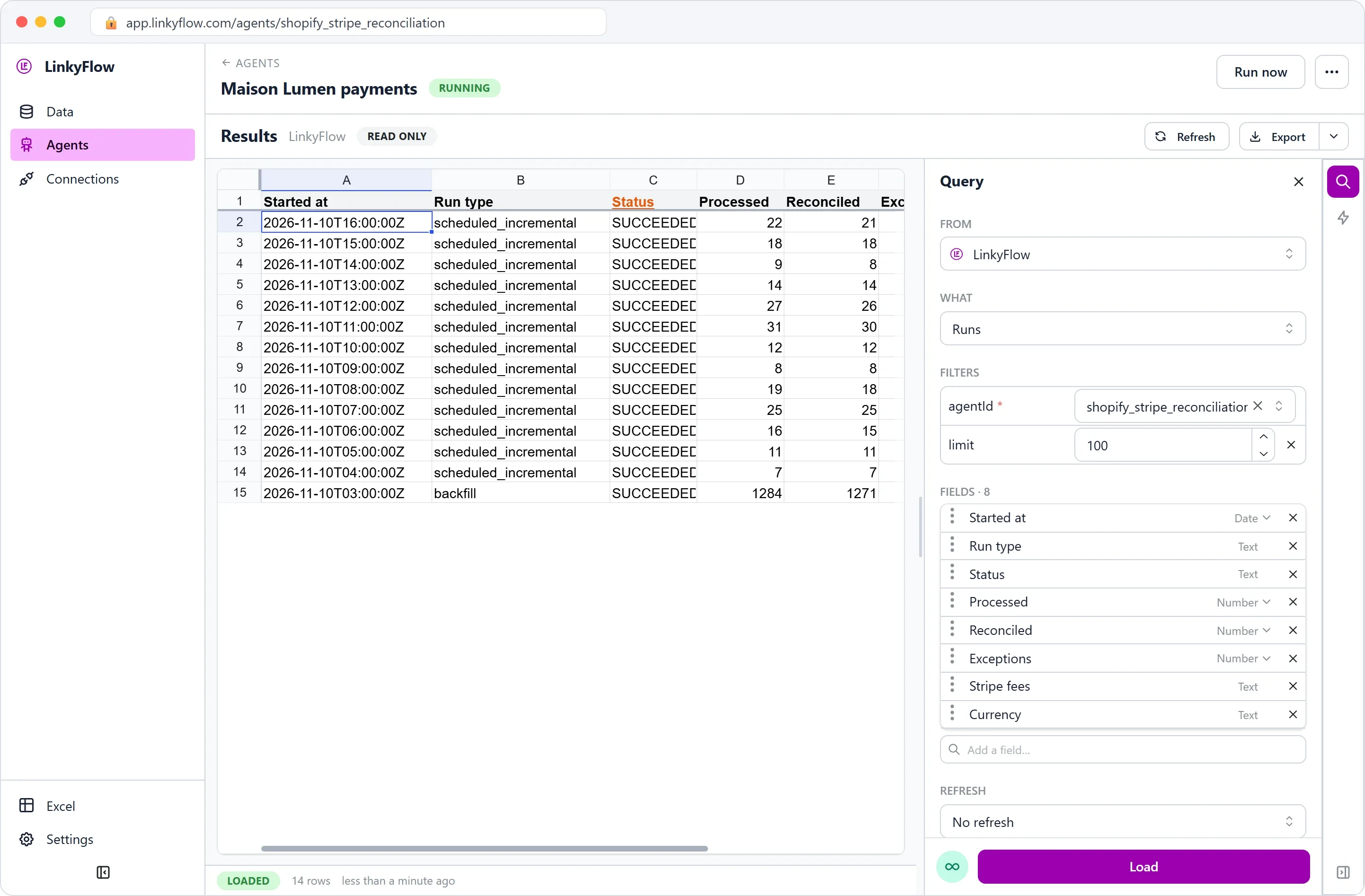
On the agent's page, Results has four views (WHAT):
- Current reconciliations: where every sale stands — Shopify order, expected and actual amount, currency, gross, Stripe fee, net, status and match rule. Add a field brings the Stripe payment, charge and balance transaction IDs.
- Open exceptions: the cases that need you. A case is one problem with a count, not one alert per hour; it closes by itself when a later run finds what was missing.
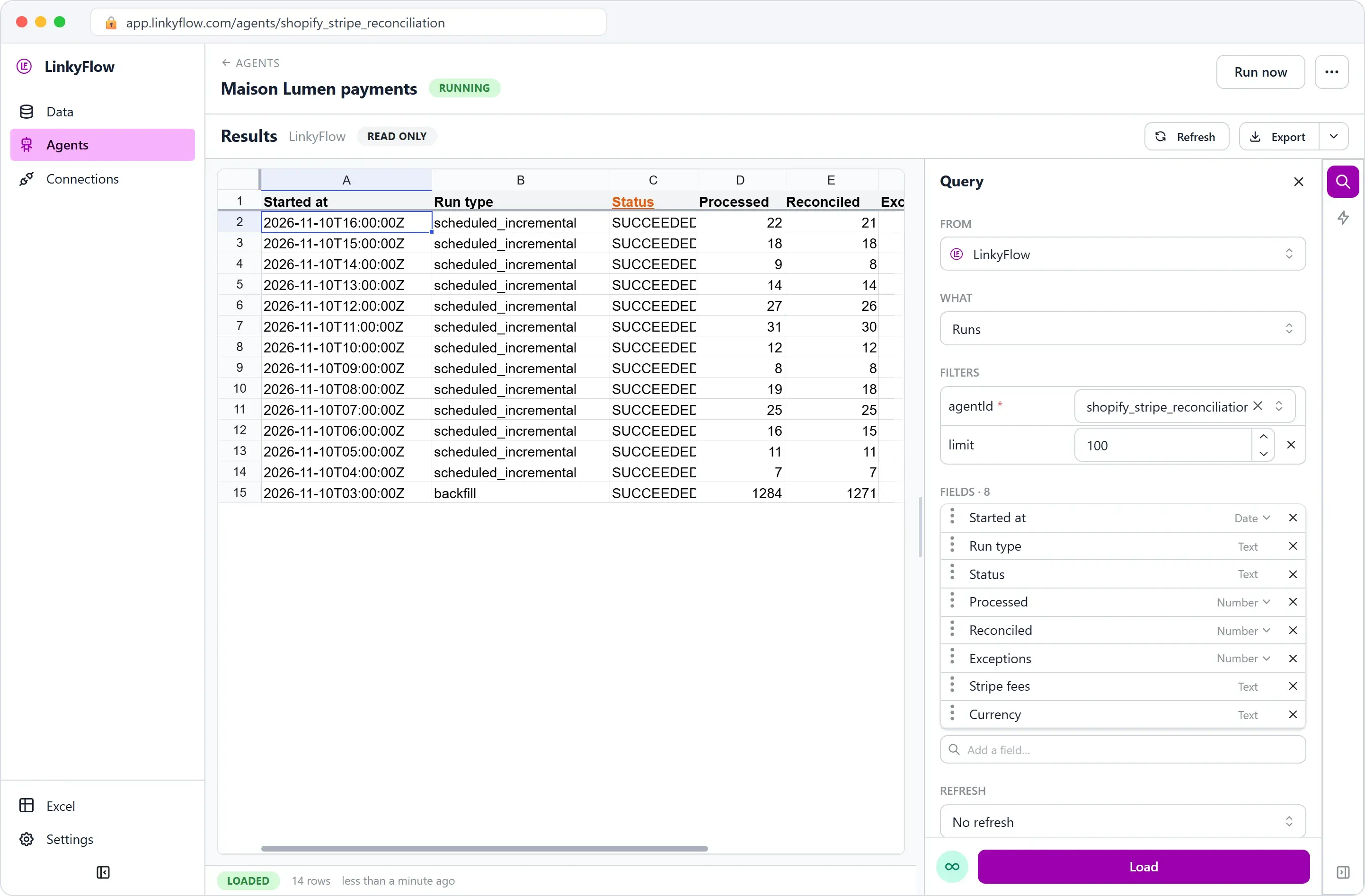
- Runs: one row per run, with what it read, what it concluded and what it paid in Stripe fees.
- Historical run detail: the rows of one run, exactly as that run concluded them, however often you refresh. Kept 30 days.
Export turns any view into an Excel workbook that refreshes to today's numbers. An unresolved case is rechecked every hour for two days, every six hours until it is a week old, then once a day; once a day the agent also re-reads the last week in case a provider reported something late.
With LinkyFlow connected to ChatGPT or Claude, ask: "Why did Shopify order #1044 not reconcile?" or "How much did I pay in Stripe fees?". A model is used only to annotate the ambiguous cases (NEEDS_INVESTIGATION); it never turns a case into a reconciled sale, and a run over clean sales calls no model at all.
6. From a Stripe payout to its orders
Payouts are not this agent's job, but the Stripe connection reads them. In the Query panel, FROM your Stripe account, WHAT Payout Reconciliation, pick the Payout, Load: one row per charge, refund and fee in that payout, with Gross, Fee and Net. Stripe's own tables give amounts in the currency's smallest unit — 14990 is €149.90 — as in this charges table, whose descriptions name the orders:
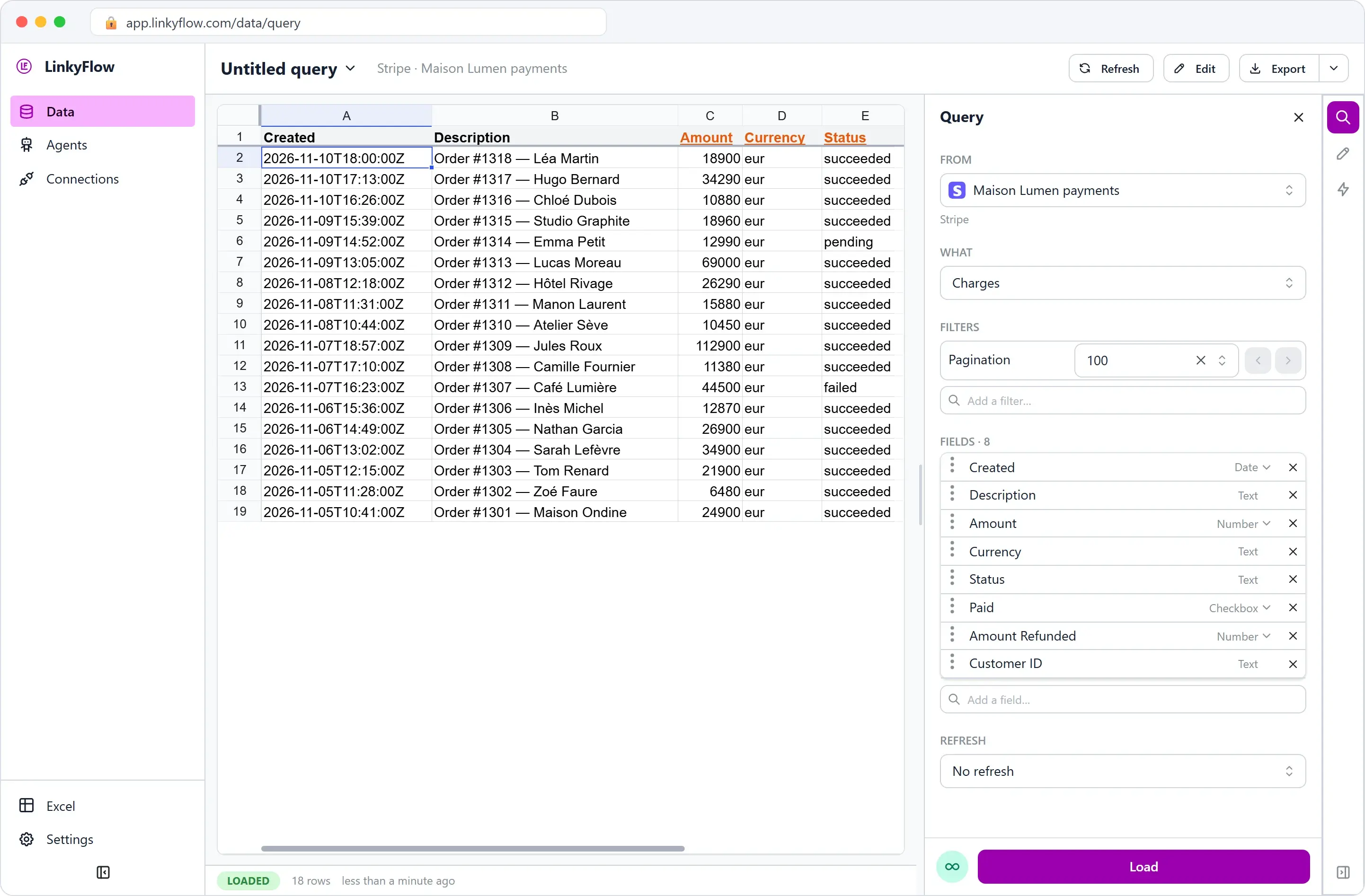
In Excel, put the payout's rows next to Current reconciliations and look up each row's ID in the Stripe balance transaction ID column: each charge the agent reconciled finds its Shopify order, and a charge that finds none is one the agent never paired.
What it does not do
- Stripe only. Shopify Payments, PayPal and manual payments are counted and skipped.
- Hourly, not real time. There is no webhook: a sale made at 10:05 is reconciled during the 11:00 run, or when you click Run now.
- Read-only. It never refunds, captures, edits an order or changes anything at Shopify or Stripe.
- No bank reconciliation. Payouts against your bank account are not part of this agent.
- Detailed run data is kept 30 days. Run summaries and the current reconciliations stay.
FAQ
Does the agent change anything in Shopify or Stripe? No. It holds no write access to either: it reads, reconciles and reports.
My store uses Shopify Payments. Can I reconcile it? Not with this agent: those payments are paid out by Shopify, not into a Stripe account. The Shopify Finance Sync agent keeps a read-only copy of the store's orders, transactions, refunds and Shopify Payments payouts, with gross, tax, fee and net apart.
How is a sale paired with a payment? By the Stripe identifier on the Shopify transaction, or by a Stripe payment that names the order. Never by amount and date alone.
What does it cost in AI? An ordinary run calls no model. Only an ambiguous case is investigated, and the same case is not investigated twice unless its evidence changes.
Go further
- Shopify + Stripe Reconciliation agent: every status and rule.
- LinkyFlow for Stripe: payments, invoices, subscriptions and payouts in Excel or on the web.
- LinkyFlow for Shopify, and the Excel add-in.