
Lila Studio, chapter 4: launch weekend
The winter collection goes live Saturday. Léa has the products (chapter 3), the stock (chapter 2), and for the first time, the nerve to actually push a launch.
A launch needs offers. Not one — several:
- a public code for the newsletter: 10% off the weekend.
- a little welcome discount for first-time buyers.
- and the ambitious one — a unique code for each of the thirty micro-influencers she's sending a scarf to, so she can see whose audience actually shows up.
Thirty-two coupons, give or take. In the WooCommerce admin that's thirty-two trips through the "Add coupon" form, each with a code, a type, an amount, an expiry. By Thursday night she'd hate the collection. She knows there's a better way now — because by chapter four, the better way is just the way.
What a coupon is made of
A coupon is a code a customer types at checkout. A handful of fields define it:
- code — what they type, e.g.
WINTER10. - discount_type —
percent,fixed_cart, orfixed_product. - amount — the value:
10means 10% on a percent code, or 10 in her currency on a fixed one. - date_expires — when it stops working (Sunday midnight, for the weekend code).
- usage_limit — how many times it can be redeemed.
- minimum_amount / maximum_amount — cart bounds.
- individual_use — whether it can stack with other codes.
Look before you leap
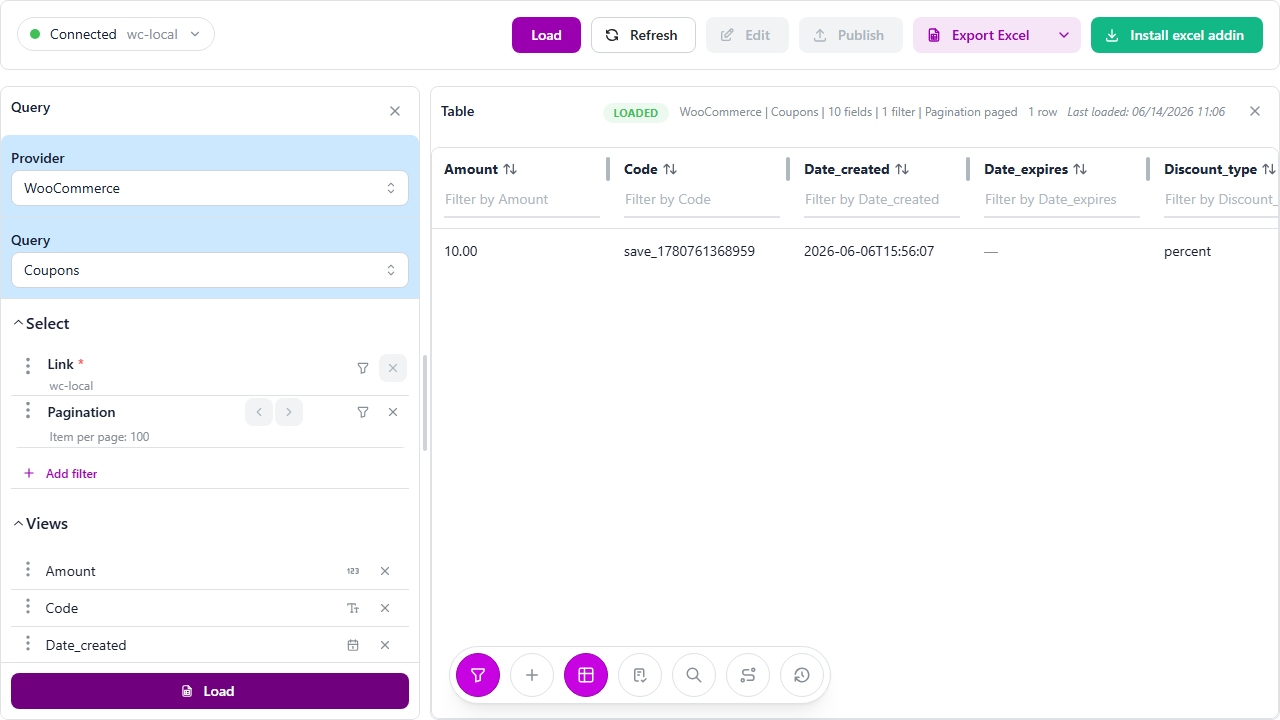
Old habit, good habit: before creating, she loads what's already there so she doesn't reuse a code by accident. WooCommerce → Coupons → Load.
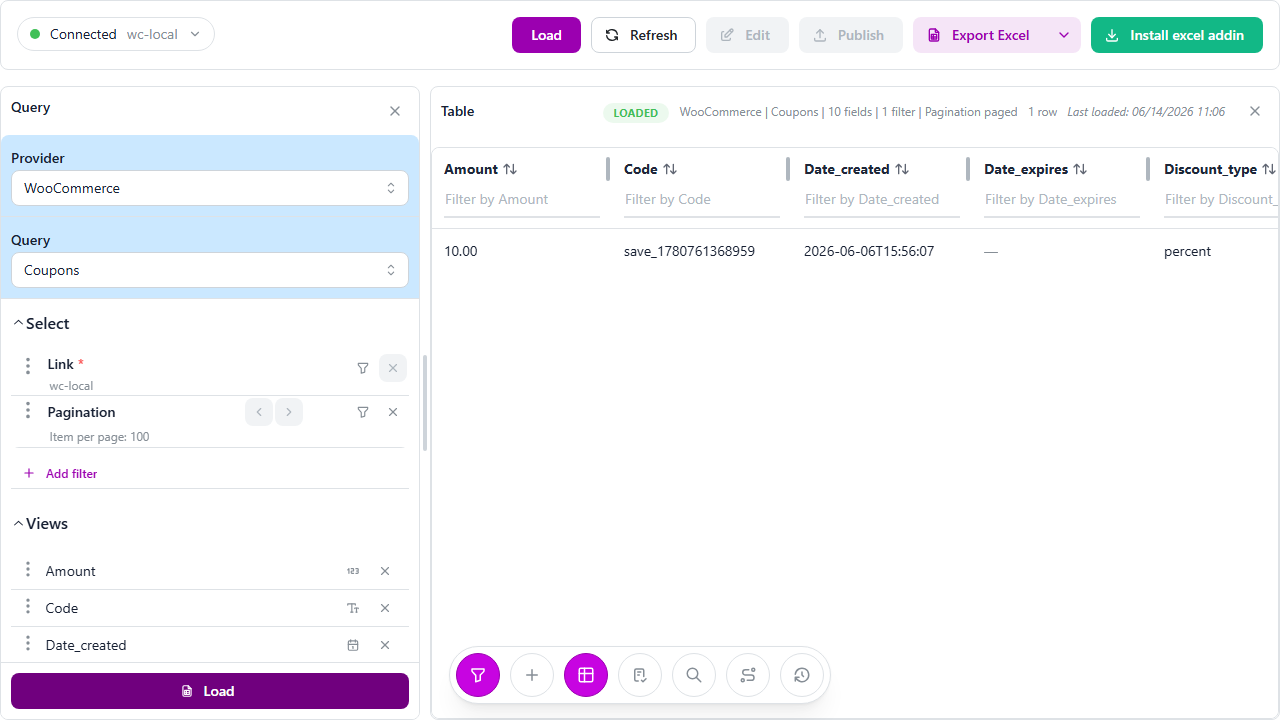
One tidy table — codes, types, amounts, expiries, how often each was used. She scans it, confirms WINTER10 is free, and moves on. (That read-then-write rhythm is the same one she's had since chapter 1.)
The wall of coupons
She switches the panel to Create, keeps Coupons, and clicks Load template. Blank grid, coupon fields as columns. And now the spreadsheet does the thing spreadsheets are for.
The two simple ones she just types:
code: WINTER10   | discount_type: percent     | amount: 10 | date_expires: 2026-12-07 | usage_limit: 1000
code: WELCOME5   | discount_type: fixed_cart  | amount: 5  | minimum_amount: 35       | individual_use: true
WINTER10 — 10% off, dies Sunday night, capped so a screenshot leak can't drain it. WELCOME5 — €5 off a €35 cart, and individual_use so it won't stack on top of the weekend code.
Then the influencers. Thirty unique codes would be a nightmare by hand — but it's a column, and columns are easy. She drops her list of thirty names beside the grid, builds LILA- + each name with a formula, fills the type and amount down all thirty rows in one drag, and just like that she has thirty distinct codes she can track individually.
code: LILA-MAYA   | discount_type: percent | amount: 15 | usage_limit: 50
code: LILA-NOAH   | discount_type: percent | amount: 15 | usage_limit: 50
code: LILA-INES   | discount_type: percent | amount: 15 | usage_limit: 50
...
Thirty-two coupons, sitting in rows, none of them live yet.
One publish
She clicks Publish. Every row becomes a real coupon in WooCommerce, in a single batch, and the familiar Changes published. confirms it. She reloads Coupons and there they all are — WINTER10, WELCOME5, and the thirty LILA- codes — ready to paste into a newsletter and thirty DMs.
If a code had clashed or a field been missing, the change log would have flagged that exact row and left the rest. It didn't. The whole campaign existed in the time it takes to write one coupon by hand.
Next Monday, she'll do the thing she couldn't do before: load Coupons, sort by usage count, and see whose code actually sold. Maya brought twelve orders; half the list brought none. That's not a guess anymore — it's a column.
The same trick, in Excel, forever
None of this needed the web app. Léa built the influencer wall in Excel — names, a formula, a drag — and published from the same panel. A campaign that would be a slog in the admin became a column she filled once. The next sale, she'll duplicate the sheet, change the codes, and publish. That's the whole job.
Four chapters later
Look back at Léa's week. She started buried under eleven browser tabs, unable to even see her shop. By Saturday she can:
- read anything in the store — products, orders, customers, sales — in one table;
- fix stock for a whole delivery in the time of one coffee;
- create an entire collection from a supplier file;
- launch with a wall of offers built in a single column.
Same shop, same spreadsheet she always loved — now wired straight to WooCommerce, every change published in batches over the REST API. No CSV round-trips. No import plugins. No eleven tabs.
Lila Studio's winter collection drops Saturday. Léa, for once, is going to watch it happen with her coffee still warm.
Thanks for following the story. If you run a WooCommerce shop, the easiest place to start is exactly where Léa did — chapter 1, reading your store.
Useful links
- LinkyFlow for WooCommerce: /products/woocommerce
- Customers & coupons doc: /docs/woocommerce-customers-coupons
- Sales dashboard doc: /docs/woocommerce-sales-dashboard
- Start the story: chapter 1 — reading your shop